46 Reading-room enclave (SCIF port, incl. data-copy minimization)
An enclave OU and shared drive in which approved readers can view crown-jewel documents and do nothing else with them: no external sharing, no non-member access, and no download, copy or print for viewers and commenters — the data-copy minimization half of the control. Enclave content carries a Restricted label so a DLP rule can block and alert on any attempt to share, download or attach it, and Drive access for the enclave OU is bound to a Context-Aware Access level requiring a managed device on the reading-room network.
Caveats
Setup steps
- open ↗
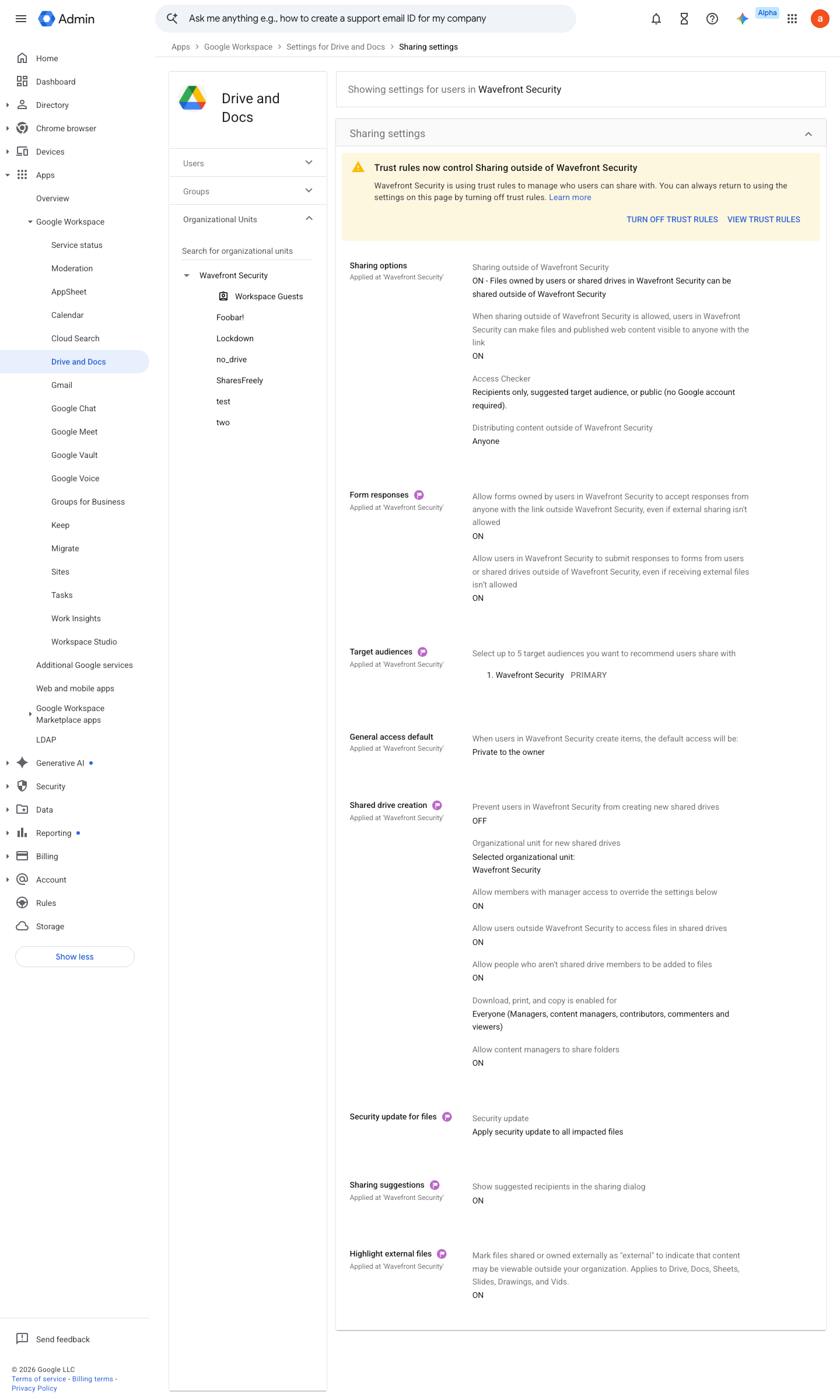
https://admin.google.com/ac/managedsettings/55656082996/sharing · captured 2026-07-15
Apps › Google Workspace › Drive and Docs › Sharing settings- Sharing outside the organisation
OFF- Allow users to receive files from outside
OFF
- open ↗
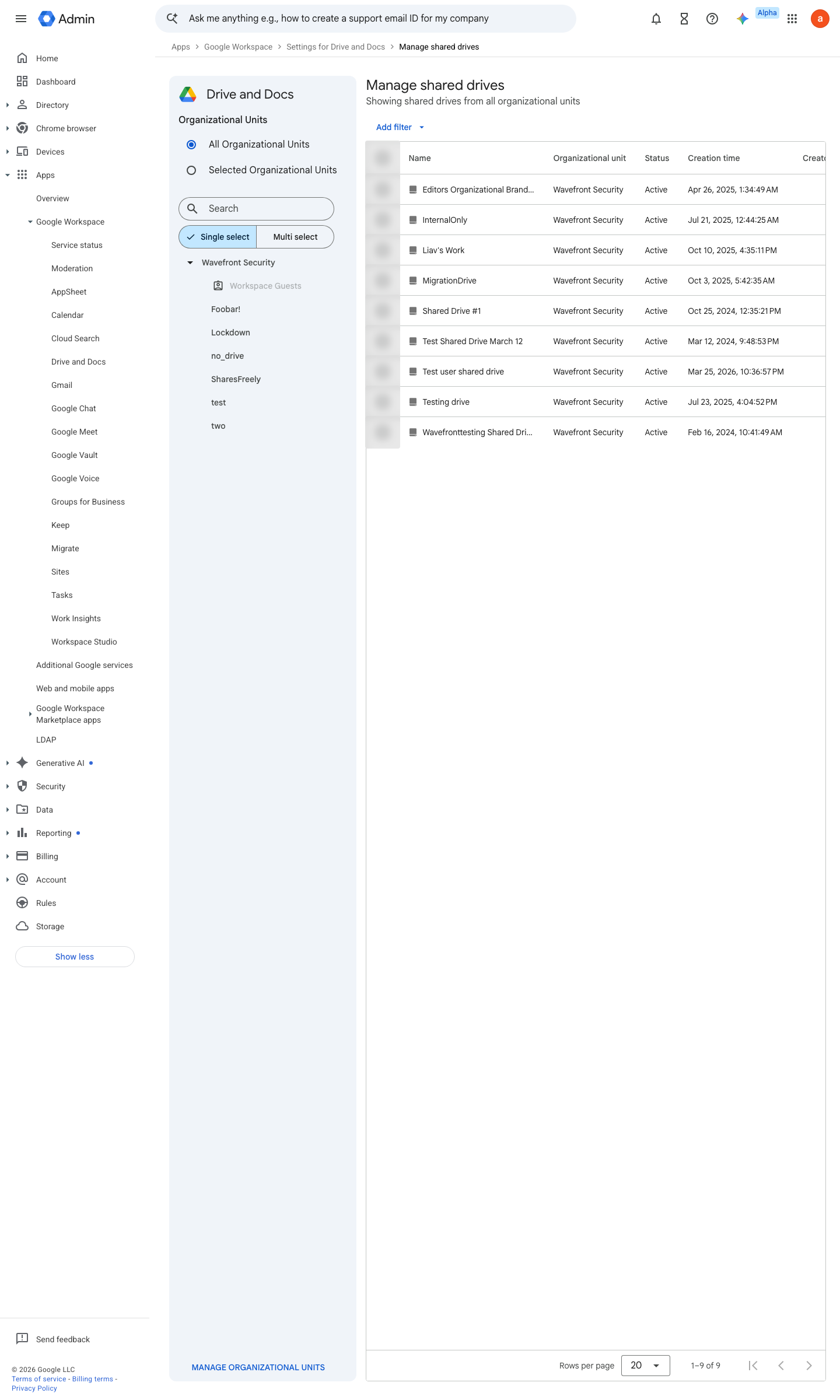
https://admin.google.com/ac/list/shareddrives · captured 2026-07-15
Apps › Google Workspace › Drive and Docs › Manage shared drivesAllow people who aren't shared drive members to be added to files = OFF; Allow viewers and commenters to download, print, and copy files = OFF; Allow users outside your organization to access files in shared drives = OFF
- open ↗
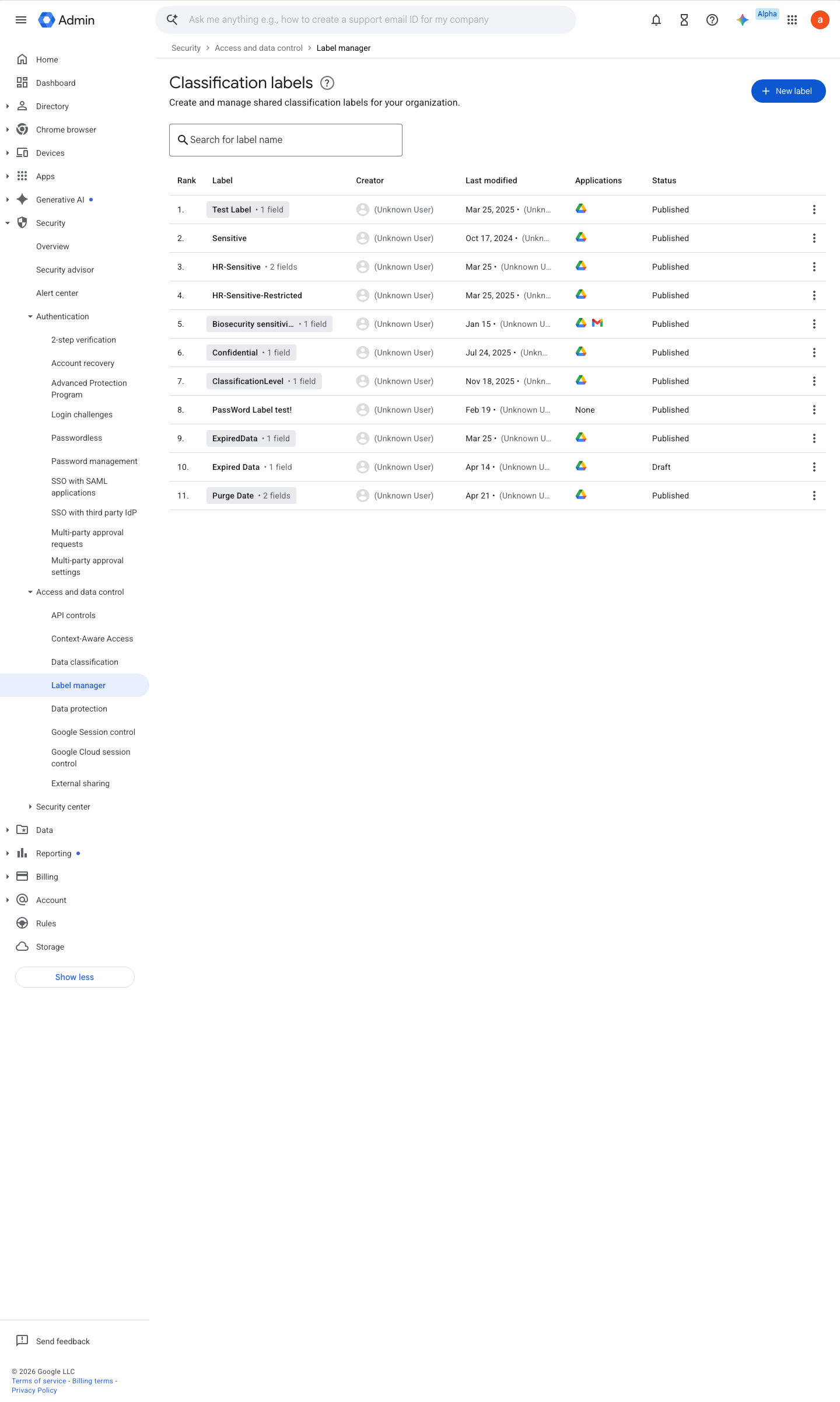
https://admin.google.com/ac/dc/labels · captured 2026-07-15
Security › Access and data control › Label managerCreate a label (e.g. 'Sensitivity') with a 'Restricted (enclave)' option in Label manager and apply it
Create classification labels for your organization ↗ Get started as a classification labels admin ↗
- open ↗
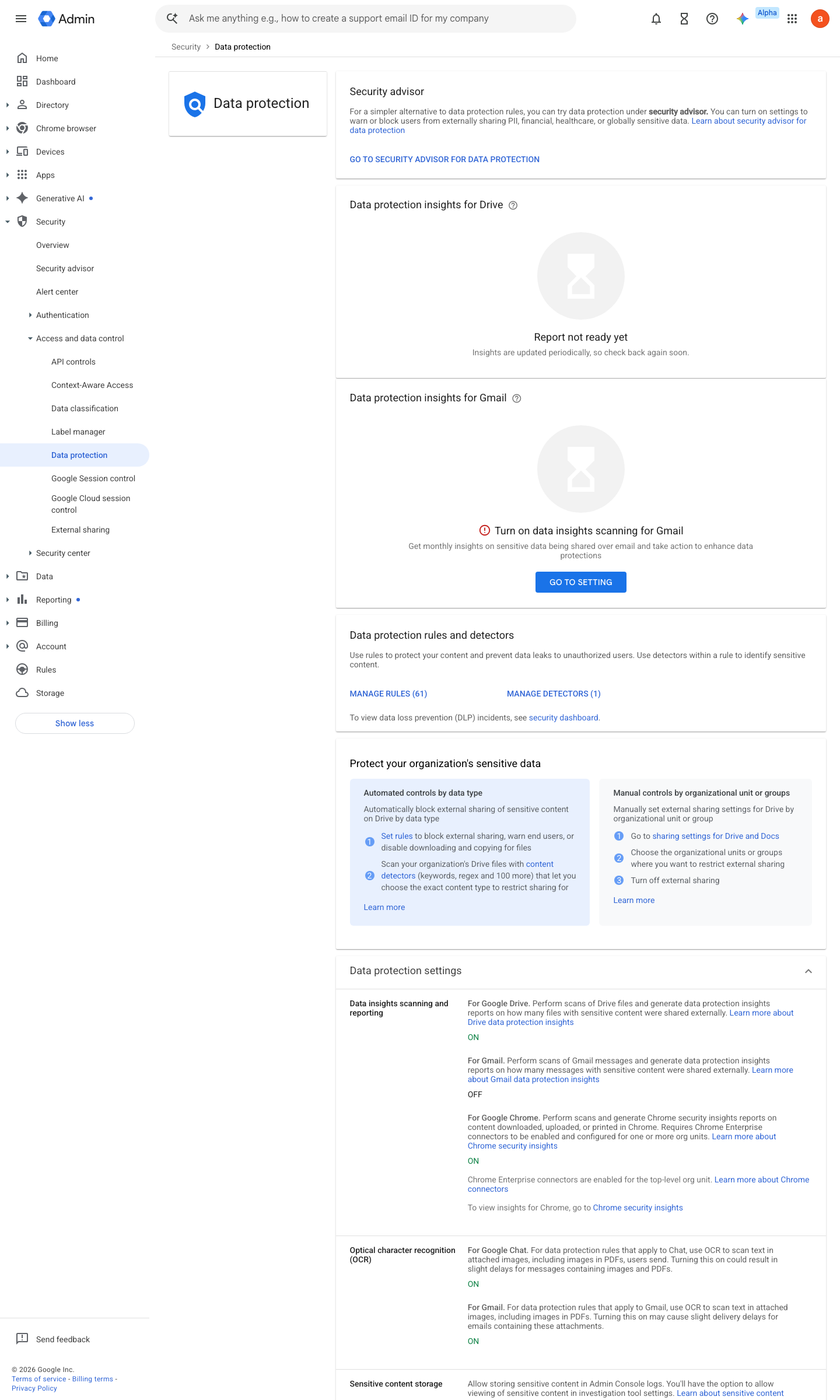
https://admin.google.com/ac/dp · captured 2026-07-15
Security › Access and data control › Data protection- Condition
Label = Restricted- Action
Block- Alert
High severity
Create DLP for Drive rules and custom content detectors ↗ About DLP ↗
- open ↗
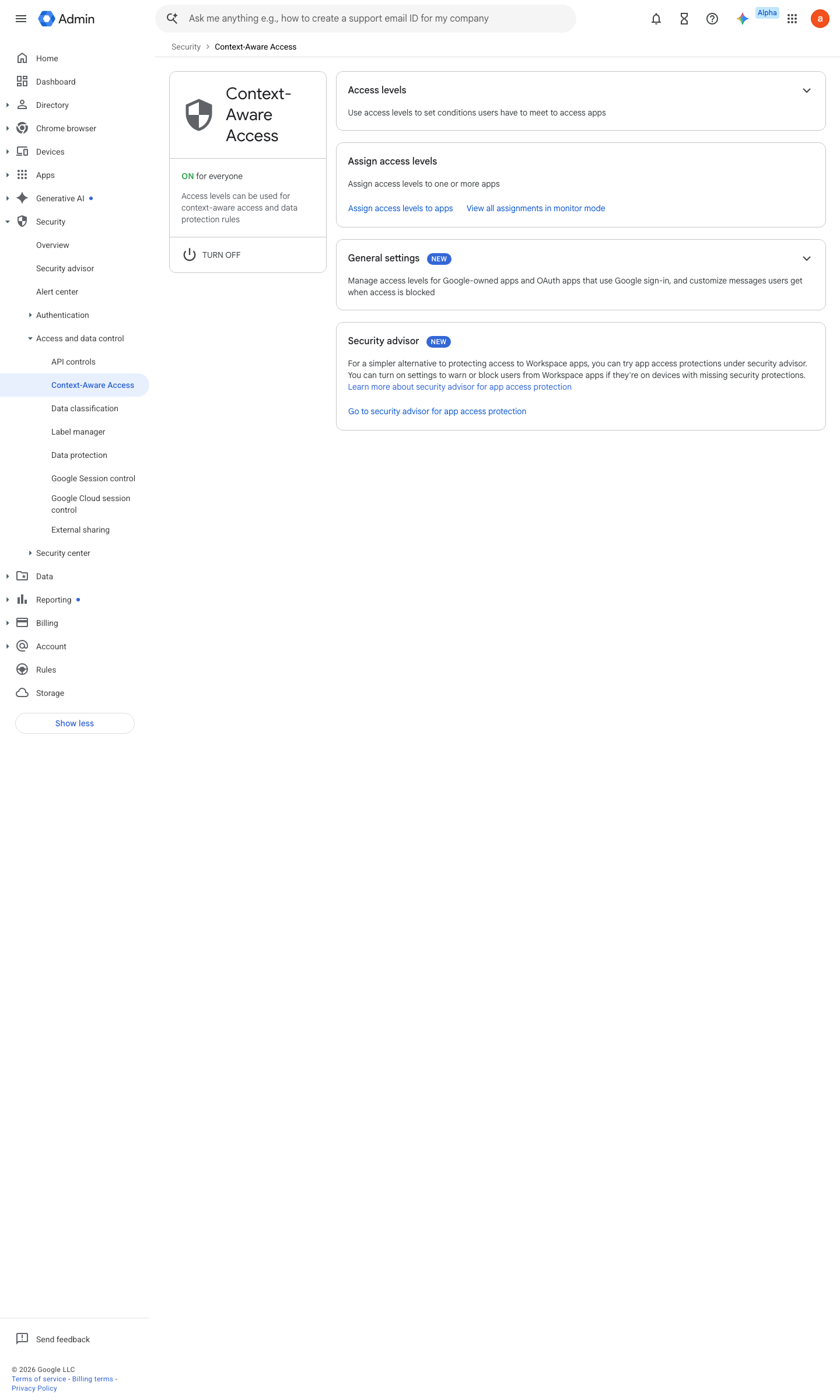
https://admin.google.com/ac/security/context-aware · captured 2026-07-15
Security › Access and data control › Context-Aware Access- App
Drive- Access level
reading-room- Mode
Active (not Monitor)
Assign Context-Aware Access levels to apps ↗ Protect your business with Context-Aware Access ↗
Ongoing maintenance
- requires a human Quarterly: review the enclave access list and expire finished engagements.
How to verify
As an authorised test user inside the enclave, attempt to download, print, and copy from a protected document — every path must be refused; then attempt access from outside the enclave context — it must be denied entirely.
v0.0.3Preventedition Ent Std+ policy #28 · #15, #26 ↗