7 Phishing-resistant 2SV (FIDO2/passkeys only)
Restricts the permitted second factor to FIDO2 security keys and passkeys, which sign a challenge bound to the site's real origin. A fake login page therefore cannot relay the factor — which is what defeats the credential-phishing kits that happily replay a Google prompt or a TOTP code. Everything else on the 2SV methods list is ordinary 2SV; 'Only security key' is this control.
Documentation: Protect your business with 2-Step Verification ↗
Caveats
Setup steps
- open ↗
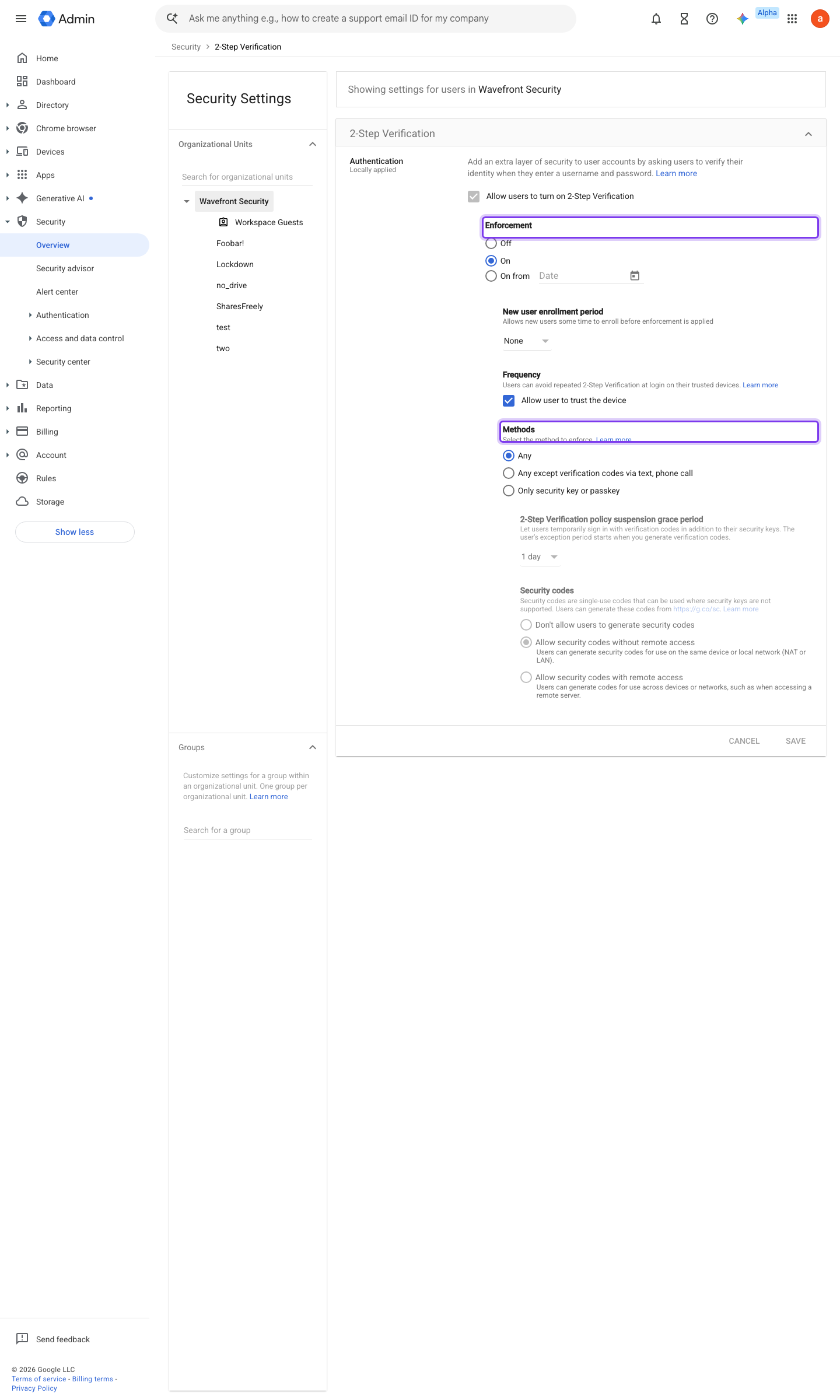
https://admin.google.com/ac/security/2sv · captured 2026-07-15
Security › Authentication › 2-Step Verification- Allow users to turn on 2-Step Verification
On
- open ↗
![Admin console screen — Directory > Users (per-user 2SV status under [user] > Security)](../../screenshots/admin.google.com/ac/users.png)
https://admin.google.com/ac/users · captured 2026-07-15
Security › Authentication › 2-Step Verification- Methods
Only security key (passkeys/FIDO2 hardware keys)
-
Security › Authentication › 2-Step VerificationEnforcement = On; New user enrollment period = 1 day (the shortest option; the range runs 1 day to 6 months)
-
Security › Authentication › 2-Step Verification- Allow user to trust the device
Off (verification on every sign-in)
Deploy 2-Step Verification ↗ Recover an account protected by 2-Step Verification ↗
-
Reporting › User Reports › AccountsColumns '2-Step Verification enrollment' and '2-Step Verification enforcement' → no user in the OU may show Not Enrolled
User reports: Accounts ↗ Manage a user's security settings ↗
Ongoing maintenance
- requires a human On every hire into the enforced cohort: issue two keys (or platform passkeys plus a hardware backup) before their first day.
How to verify
From a test account in the enforced OU, attempt to enrol a TOTP authenticator app — the console should offer security keys / passkeys only.
Cross-check enforcement state for the OU’s users.
gam print users fields primaryEmail,isEnrolledIn2Sv,isEnforcedIn2Sv
v0.1.3Prevent policy #17 · #8 ↗