9 Marketplace install allowlist
Switches Marketplace from open installation to allowlist-only, so a user can install only apps you have reviewed. The review is of the listing's requested scopes: this is where an add-on's data access is decided, before anyone grants it. Allowlist per OU or group rather than at the root, so an app is available to the team that needs it and nobody else.
Documentation: Get started as a Marketplace app admin ↗
Caveats
- Removing an app from the allowlist cuts users’ access to it even if it is still installed1
- Admin-installed apps bypass user install settings entirely2
- Allowing internal (same-domain) apps wholesale is only safe if Apps Script is governed (№65)3
- Allowlisting for a child OU excludes the app for everyone else4
- Service-specific Marketplace settings for Drive, Chat, and Calendar can override ‘Manage access to apps’5
Setup steps
- open ↗
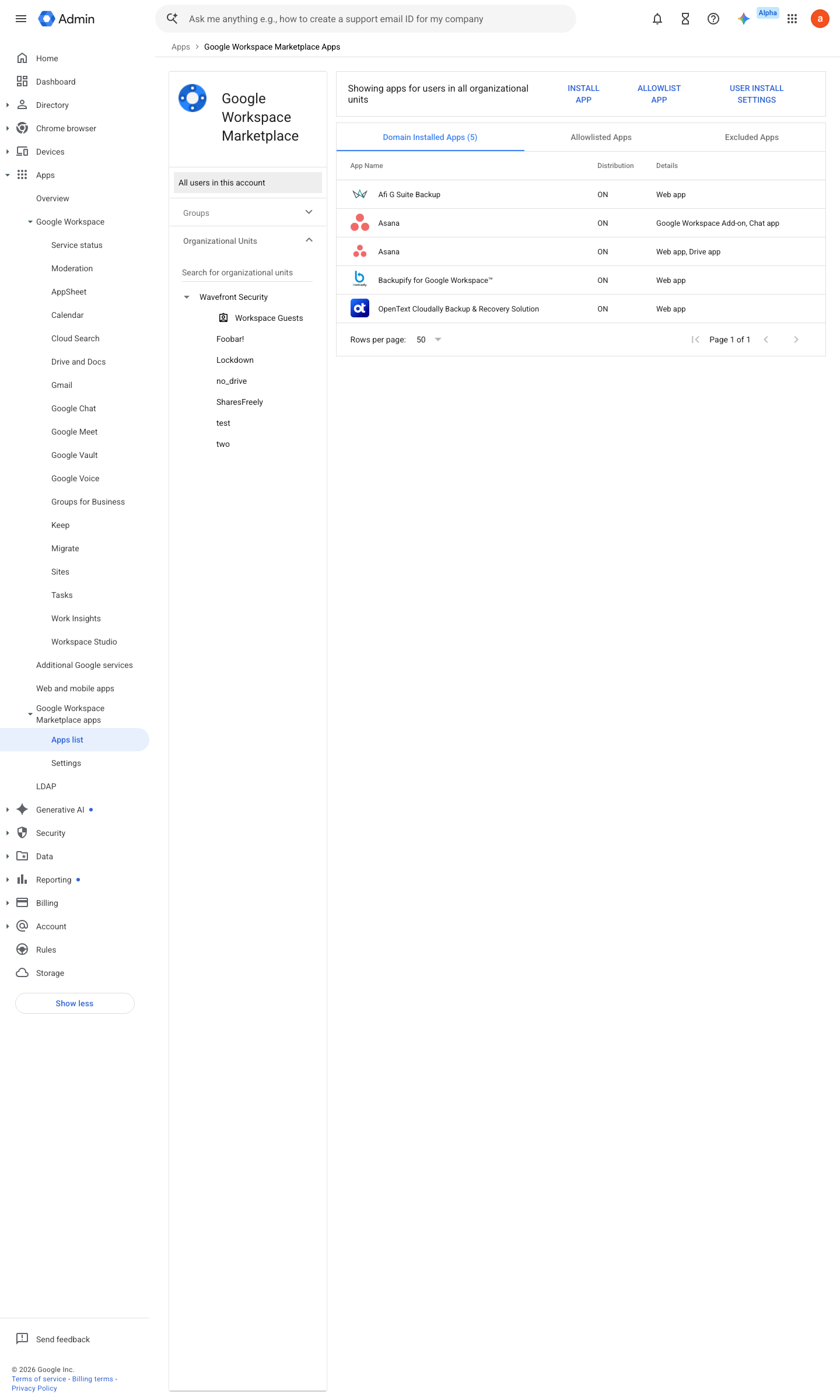
https://admin.google.com/ac/apps/gmail/marketplace/domaininstall · captured 2026-07-15
Apps › Google Workspace Marketplace apps › Apps list- Manage access to apps
Allow users to install only allowlisted apps
- open ↗
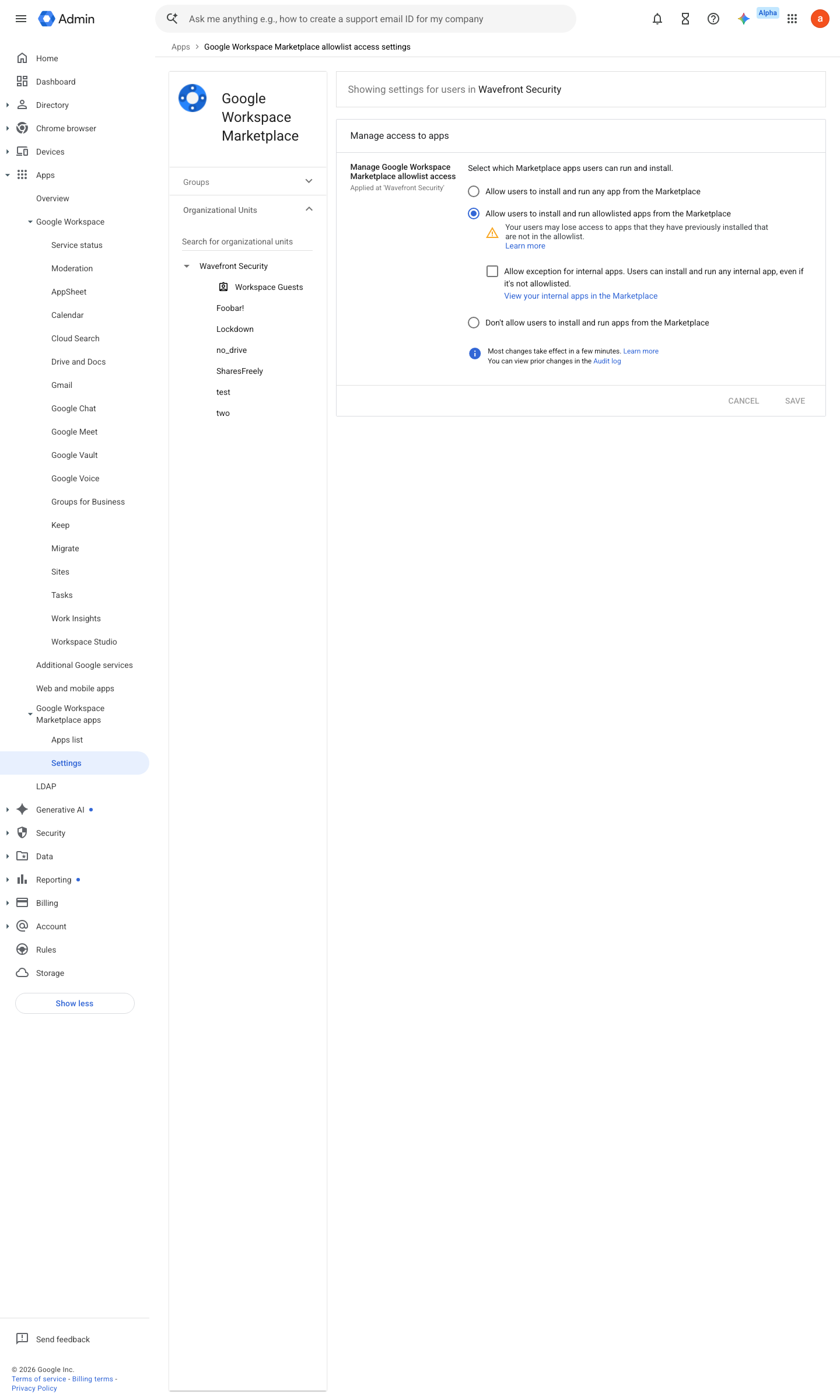
https://admin.google.com/ac/apps/gmail/marketplace/allowlistaccess · captured 2026-07-15
Apps › Google Workspace Marketplace apps › Apps listAllow users to install and run any internal app = Off unless №65 appsscript-governance is in place
-
Apps › Google Workspace Marketplace apps › Apps listPer app: allowlist scoped to the OU/group that needs it, not the root OU
Manage the Marketplace app allowlist for your organization ↗
- open ↗
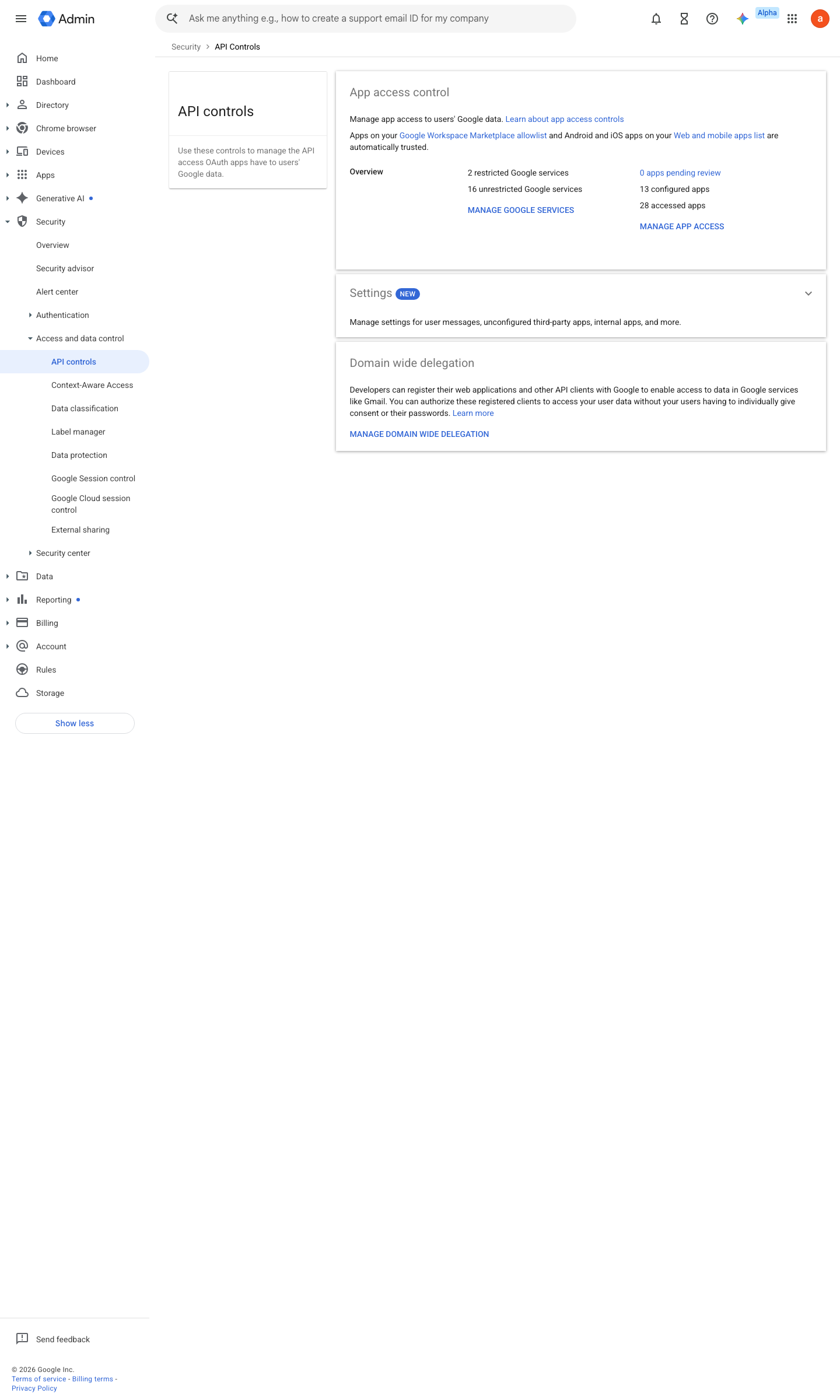
https://admin.google.com/ac/owl · captured 2026-07-15
Security › Access and data control › API controlsAllowlist and API-controls verdict must agree per app
Ongoing maintenance
- requires a human On request: review a new app’s scopes against the data it would touch before allowlisting.
How to verify
From a test account, open the Marketplace and try installing any app not on the allowlist — the install button should be blocked with the admin message. This needs no admin access and tests the real gate.
v0.1.2Prevent policy #19 · #37 ↗